Composition & Mood: Directing the Eye
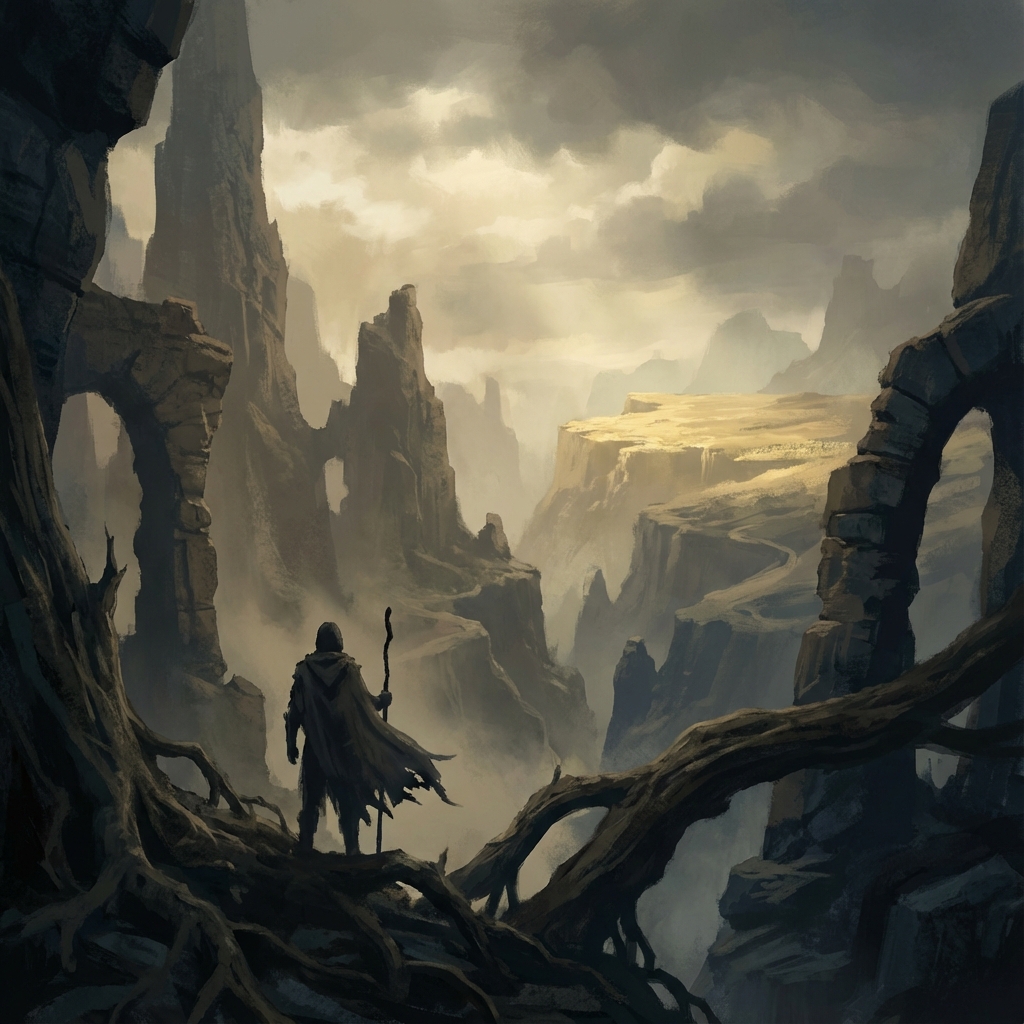
Composition is not just about aligning subjects to the Rule of Thirds grid—it’s about directing attention. It’s visual storytelling, guiding the viewer’s eye with intention across a carefully controlled image.
This guide explores how concept artists use contrast, value, lighting, lens settings, and atmospheric depth to create cinematic compositions that read instantly, evoke mood, and tell stories at a glance.
1. Value Grouping and the Squint Test
Value—lightness or darkness—is the bedrock of visual clarity.
Why Value Matters
- Human vision is contrast-driven. The brain registers value before color.
- A strong image should be readable in grayscale.
Strategy
- Divide your composition into 3–4 Value Planes:
- Foreground: 0–30% (Dark)
- Midground: 40–60% (Midtones)
- Background: 70–100% (Light)
The Squint Test
- Photoshop: Add a Black & White Adjustment Layer on top.
- Blender: Use an RGB to BW node in the Compositor.
- Squint or blur the image: If your focal point doesn’t stand out, rework value contrast.
2. Lighting as a Visual Weapon
Lighting isn’t just for mood—it sculpts form, establishes contrast, and creates visual hierarchy.
Techniques
- Key Light = Focus: Place your strongest light to highlight your subject. Ensure the subject has more contrast than the rest.
- Gobo Effects: In Blender, place a plane with cutouts or a Voronoi texture between the light and subject. This casts textured shadows and adds cinematic complexity.
- Rim Lighting: Create separation by backlighting the subject—especially effective with translucent or curved forms.
- Practical Lights: Add visible light sources (lamps, windows, torches) in-scene that justify your lighting direction and add narrative realism.
3. Focal Length and Camera Emotion
Different lenses evoke different psychological effects.
Camera Settings in Blender
- Access Camera → Focal Length:
- 15–24mm (Wide): Epic scale, but distorts close objects.
- 35–50mm (Normal): Balanced and familiar.
- 85mm+ (Telephoto): Compresses space, ideal for intimacy or flattening chaos.
Depth of Field (DoF)
- Focus Object: Add an Empty to your focal subject.
- F-Stop: Set to 2.8–5.6 for cinematic blur.
- Why: DoF simplifies composition. What’s sharp gets attention. What’s blurred becomes background.
4. Atmospheric Perspective: Depth Through Color
As objects recede, they lose contrast and shift hue.
Blender Workflow
- Add a cube volume → Principled Volume Shader.
- Set Density to 0.01–0.05.
- Adjust Anisotropy (0.5–0.9) to simulate forward scattering (e.g., god rays).
Photoshop Workflow
- Lasso background planes (mountains, structures).
- Paint with soft airbrush set to Screen blend mode.
- Use cool, desaturated blues or greys.
5. Contrast Rhythm & Silhouettes
Rhythmic Contrast
- Alternate high and low contrast areas. Avoid consistent contrast across the image.
- Use sharp edge vs. soft edge to draw the eye along implied visual paths.
Silhouette Clarity
- Turn off internal detail temporarily.
- Ensure character or object silhouettes are distinct from the background.
6. Chromatic Aberration, Grain & Final Touches
Real cameras introduce imperfections. Emulate them to boost realism.
Effects
- Chromatic Aberration: In Photoshop, duplicate image → Shift R channel by 1–2px. Use mask to apply subtly to edges.
- Grain: Add uniform monochromatic noise (Camera Raw Filter or Add Noise filter).
- Bloom: In Blender or Photoshop, duplicate highlights → Gaussian Blur → Add/Screen mode.
- Vignette: Subtly darken edges to pull the eye inward.
7. The Compositional Checklist
Before calling a piece done, ask:
- Is my focal point instantly recognizable?
- Do value planes separate clearly?
- Is lighting supporting the composition or muddying it?
Next and Previous
- Previous: Production Sketching Thumbnails: The “Idea Vomit” Workflow for Fast Concept Design
- Next: Cinematic Lighting in Blender: 3-Point Rigs, Rembrandt, Rim Light & Filmic Exposure
Related tutorials
- Color Scripting for Concept Art: Gamut Masks, Palette Control, and Emotional Storytelling
- Set Dressing for Concept Art: Environmental Storytelling, Clutter Logic, and Lived‑In Detail
- Mist Pass in Blender: Z‑Depth Workflow for Atmospheric Perspective in Photoshop
- The Hybrid Pipeline: Integrating 2D and 3D