Creature Design for Concept Art: Silhouette, Shape Language, and Readable Monsters
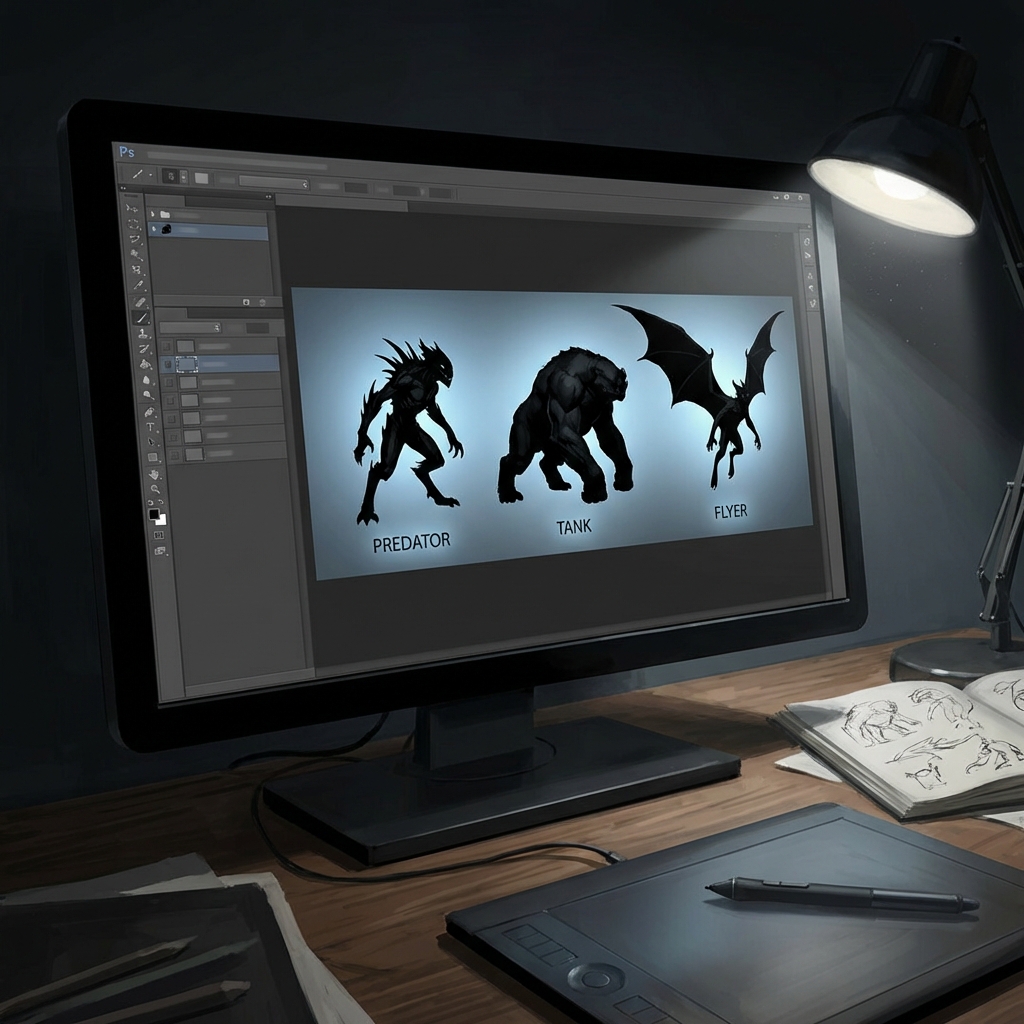
Creature design isn’t “draw something scary.” It’s design engineering: readability + behavior + believability + story. If the silhouette doesn’t communicate what it is and how it moves, no amount of detail will save it.
This guide teaches the production workflow used by concept artists to generate iconic, readable creatures fast:
- silhouette-first ideation (the Big Black Shape method)
- shape language for emotion and role
- behavior-driven anatomy decisions
- iteration systems that avoid over-rendering too early
1. The Creature Read Test (The Standard Pros Use)
Before you add teeth, ask: What does the viewer understand in 2 seconds?
The 3-level read
- Thumbnail read (1–2 seconds): predator? pet? parasite? humanoid? flying?
- Mid read (5 seconds): how does it attack/defend? what’s the silhouette hook?
- Close read (15 seconds): materials, secondary anatomy, scars, texture and story.
If it fails at thumbnail read, go back to silhouette.
2. The Big Black Shape Method (Silhouette-First Workflow)
Silhouettes force clarity. Lines invite noodling.
Photoshop setup (fast)
- Canvas:
3000×2000 - Brush: hard round or chunky marker (no opacity jitter)
- Make a layer named
SILHOUETTES
The Lasso Fill workflow (recommended)
- Use Polygonal Lasso (L) to carve a torso mass.
- Fill with black (
Alt/Option + Delete). - Add limbs as separate masses.
- Use
Ctrl/Cmd + T(Transform) to stretch, squash, rotate limbs. - Duplicate (
Ctrl/Cmd + J) and iterate.
Why this is pro: you can iterate in seconds without committing to line quality.
Negative space is the real silhouette
Great creatures have readable gaps:
- space between arm and torso
- space between legs
- distinct head silhouette
Pro trick: “open” silhouettes read better than “closed blobs.”
3. Shape Language: Designing Emotion Intentionally
You’re not just making anatomy—you’re directing an emotional reaction.
Shape language cheat sheet
- Triangles: danger, speed, aggression, predatory intent
- Squares/Rectangles: weight, stability, brute force, authority
- Circles: safety, youth, friendliness, innocence
Make it interesting by mixing two languages
- Friendly tank: square body + rounded shoulders + big eyes
- Fast predator: triangular limbs + circular head (unsettling contrast)
- Alien intelligence: smooth circles + a few sharp triangle interrupts
The “single-hook” rule
Pick one silhouette feature that becomes the creature’s icon:
- an asymmetrical horn
- a long neck crest
- a giant forelimb
- a tail weapon
One hook beats ten random details.
4. Behavior First: Creatures Are Verbs
A creature is defined by how it moves.
The 5 high-demand creature roles
- Ambush predator: low profile, camouflage, explosive burst
- Chaser: long limbs, light torso, clear forward thrust
- Climber: gripping hands/feet, shoulder mobility, tail balance
- Burrower: shovel anatomy, reinforced skull/forelimbs
- Flyer/glider: chest mass, wing joints, tail rudder
The “movement sketch” overlay
After you pick a silhouette:
- Create a layer above called
GESTURE. - Draw a single line of action through the spine.
- Indicate limb direction and weight.
If gesture feels stiff, the creature feels fake.
5. Big–Medium–Small for Creatures (So You Don’t Over-Detail)
Avoid “texture soup.” Build hierarchy.
- Big forms: torso, head, major limbs
- Medium forms: shoulder plates, ribs, fins, secondary horns
- Small forms: teeth, spines, pores, scars
Detail clustering (professional look)
Place high-frequency detail in small clusters, not evenly everywhere.
- cluster scales near shoulders/spine
- keep belly simpler
- keep legs simpler unless they’re the focal point
6. A Production Thumbnail System (Fast and Reliable)
The 20–6–3–1 system
- 20 silhouettes (10–15 minutes)
- Pick 6 that read best
- Pick 3 and add quick gesture + role notes
- Pick 1 and do a value thumbnail (2–3 values)
Add role notes (tiny but powerful)
Under each silhouette, write 3 words:
- “pack hunter / arctic / ambush”
- “swamp / amphibious / parasitic”
These notes keep your details aligned with story.
7. Common Creature Silhouette Mistakes (and Fixes)
- Mistake: silhouette is a single closed blob
- Fix: create negative space gaps; separate limbs from torso
- Mistake: too many spikes everywhere
- Fix: pick one spike language zone (spine OR shoulders OR tail)
- Mistake: head silhouette unclear
- Fix: exaggerate jaw/crest/horn shape; simplify neck
8. Exercises
- Role sheet: 12 silhouettes for “desert ambush predator.”
- Same creature, 3 moods: cute / scary / regal using only shape language.
- Read test: shrink to thumbnail size and choose the best 3.
FAQ
Do I need anatomy knowledge to start? No. Start with behavior and silhouette. Anatomy refinement comes later.
How do I avoid cliché monsters? Use a real-world primary animal base and add one unusual hook.
Next and Previous
- Previous: Vehicle Concept Art Materials: Paint Wear, Decals, Grime, and Story Damage
- Next: Creature Design Anatomy: Hybrid Reference, Believable Biology, and Functional Monsters